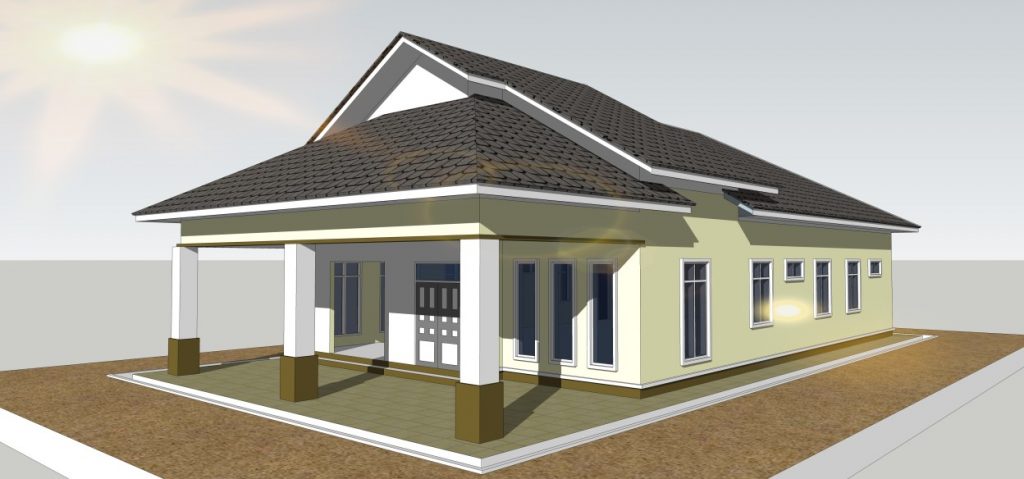
To create complex three-dimensional objects, more and more designers are using 3D software. SketchUp ranks among the powerful 3D modeling tools. Besides its multiple features, the software appeals to the majority because of its versatility. It can be deployed in a variety of fields such as gaming, mechanical engineering, but also architecture and interior design.
Despite its popularity, some people hesitate to use it because they are insufficiently informed. If you are one of them, we invite you to read this article. Discover the essentials to know about SketchUp.
My personal analysis: In my opinion, SketchUp is the tool that redefined the boundary between technical drawing and artistic creation. I believe its strength lies in its ultra-intuitive spatial approach: you don’t just draw lines, you manipulate volumes with disconcerting fluidity. From my point of view, it is the ideal software for those who want total design freedom without being constrained by pre-established furniture catalogs. It is, in my opinion, the reference for transforming an abstract idea into a concrete and precisely measured project.
What exactly is SketchUp?
To begin, it is appropriate to specify its definition to help you better understand. SketchUp represents a 3D creation and modeling software. During an architectural project, it is necessary to develop a plan. You must thus sketch, add details, correct, and then redraw.
As technology advances, there is nothing faster than using a 3D modeling tool such as SketchUp. Thanks to it, you can easily and quickly draft what you imagine. Throughout the creation process, the tool allows you to analyze problems, study the project in detail, and put it into construction.
SketchUp is an effective resource for a wide range of 3D modeling projects. It is notably used in architecture, but also in video game creation, films, and many other fields. This software was founded by Joe Esch and Brad Schell. The company Last Software released its first version in 2000.
Then Google bought it six years later. In 2012, SketchUp was sold again to a Californian company called Trimble, which is a company specializing in surveying, mapping, and navigation equipment.
Currently, the software is offered in many versions. There are paid offers and a free one. Despite its many strengths, it is suitable not only for professionals but also for beginners.
I remember spending entire nights on my first kitchen modeling, frustrated at not being able to perfectly align my cabinets. My awareness came when I discovered the power of “components”: modifying a single handle and seeing the change instantly apply to all the furniture was a real revelation. This experience taught me that SketchUp is not mastered by force, but by organization. Since that day, I no longer draw randomly: I structure each project in layers and groups, which has saved me infinite time during my recent renovations. It is in this rigor that the software becomes a natural extension of imagination.
Who is SketchUp for?
As we just mentioned above, this modeling software comes in several versions. There is the SketchUp Shop tool which is reserved for 3D printing. It is mainly used by carpenters and designers.
SketchUp Pro, as its name so well suggests, is aimed at all professionals. This tool is particularly valuable in the fields of planning, architecture, interior design, engineering, and construction.
It also supports specialists from all backgrounds such as set designers and filmmakers. It is notably small and medium-sized enterprises (SMEs) and very small enterprises (VSEs) engaged in creative professions that fully benefit from it. SketchUp Free is a free version of SketchUp. Initially, it is presented as a web application based on the cloud. To use it, no Trimble account is required. You only need internet access and you’re good to go.
Since it is a free tool, SketchUp Free is aimed at the general public. It can be used for personal purposes, but not for commercial use. Easy to use, the version allows you to create house plans, whether interior or exterior. All beginners can try it to enjoy the possibilities offered by 3D design.
For beginners looking for a more community-oriented alternative, feel free to read our Kozikaza review to compare the two modeling approaches. Once your 3D plan is finished, you can move on to the technical phase, for example by learning to master the installation of rails for plasterboard partitions according to your new measurements. Finally, for object design enthusiasts, SketchUp is the perfect tool to design and make a personalized DIY coffee table guide.
What are the features of SketchUp?
If SketchUp appeals to many architects, engineers, and builders, it is because it offers several attractive features. Its versatility is one of them. To use it, you can utilize cloud, computer or Mac, web, and SaaS.
Conveniently, the software is also accessible from your mobile devices such as iPhone, Android smartphone, or tablet. You can thus use it remotely, at the office, or even on the go.
Regarding compatibility, SketchUp can be configured from Firefox, Chrome, or a web browser of your choice. It is also compatible with most operating systems such as Mac OS, Windows, and Linux. Like most popular software, this modeling program offers you a mobile app which remains available on the App Store or Play Store. To enjoy it, you just need an up-to-date browser and a good internet connection.
To facilitate its integration with other software applications, SketchUp provides APIs. Thanks to this process, it is possible to exchange data and be connected to a database. Asana, Amazon Cognito, Amazon EC2, MATLAB, and Pattern Lab are platforms that can be connected with SketchUp.
Another notable point, SketchUp has the ability to adapt to most business needs such as SME software, Enterprise software, Mid-sized company software, and VSE software. That is why many professionals and companies use it for their creative activities.
It should be noted that SketchUp stands out for its ergonomic and user-friendly interface. Whether it is customization, configuration, installation, or setup, these operations generally do not require the intervention of an integrator. To simplify access, the tool is available in several languages, namely English and French. If you are a beginner, there are many tutorials to help you use it properly.
Comparison Table of SketchUp Versions
| Version | Target Audience | Platform | Main Advantages |
| SketchUp Free | Beginners & Hobbyists | Web (Browser) | Free, access to 3D Warehouse |
| SketchUp Go | Mobile DIYers | iPad & Web | Unlimited Cloud Storage, Mobility |
| SketchUp Pro | Craftsmen & Architects | Desktop (PC/Mac) | Plugins (extensions), Layout (2D plans) |
| SketchUp Studio | Building Professionals | Desktop (PC) | Point cloud import, V-Ray rendering |
How much does SketchUp software cost?
In the 3D world, SketchUp is among the very popular software. Compared to its competitors, one of its advantages lies in its attractive price. You can get it in a free version called SketchUp Make. Later, this became SketchUp Free. It should be noted that the latter is only available online.
Despite being free, this basic version offers several appealing options. It gives you access to online 3D modeling, 10 GB of storage, and a mobile model viewer. As for SketchUp Shop, expect to pay around €131 per year to enjoy it. This version is reserved for professionals with a limited budget but who want to benefit from the advanced features of the SketchUp software.
With this paid offer, you have the opportunity to enjoy the options of the free version as well as unlimited access to pre-established 3D sketches. It also offers you a mobile viewer with optimized reality. Regarding cloud storage, it is unlimited.
The price of SketchUp Pro is approximately €329 per year. By paying this amount, you can benefit from all the previously mentioned offers. But in addition, do not hesitate to take advantage of an ultra-powerful 3D modeler for your desktop computer, extended reality viewing with headset, and 2D creation documents.
SketchUp Pro also allows access to plugins to enhance the software’s functionalities. It facilitates and speeds up your creative research to provide you with interesting data. Still little known by the public, SketchUp Studio is the most expensive but also the most complete version. With a cost around €1,314 per year, this tool offers you a number of modern and cost-effective options in addition to the previous features.
Architects particularly appreciate the interactive visualizations during the modeling process. Moreover, the version offers you professional photorealistic image export and creation. Thanks to the native toolbox, it allows importing and creating more detailed objects from point cloud elements.
Complete, SketchUp Studio facilitates access to exporting 360° panoramas and animations. There are many other advantages with this paid version. These are just examples among many others.
What can be done with SketchUp?
SketchUp is the best 3D modeling software to help you boost your creativity. No matter the project, 3D drawing, diagrams, design development, volumetry, and many other creations, SketchUp is capable of bringing your ideas to life.
Many architects use it to create detailed and precise models. If the sketch does not satisfy you, it is easier and faster to correct it according to your needs. Unlike most CAD software, SketchUp is a 3D drawing tool that is not only intuitive but also simple to handle.
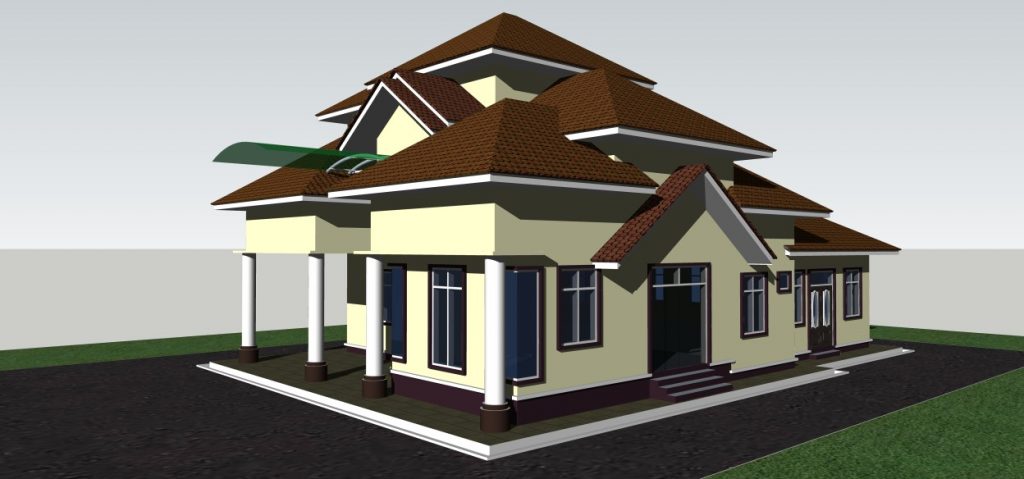
The free version SketchUp Free offers you 10 GB of storage space. Although it costs nothing, it gives you access to a library containing a large number of free models. The tool allows you to draw arcs, lines, and other shapes that can be modified in 3D. Its use is child’s play.
As for SketchUp Shop, it is a more sophisticated version than SketchUp Free. It is particularly used by creators and carpenters looking for a low-cost modeling solution. With this option, you not only have the possibility to draw but also to customize your styles as well as materials. Unlike SketchUp Free, SketchUp Shop provides you with unlimited storage space.
Now let’s discuss SketchUp Pro, this paid version is a complete modeling software. It is packed with multiple advanced features satisfying professionals brimming with creativity. You can use it both on a browser and on your computer.
Whatever the version, SketchUp represents the ideal modeling tool to draw sketches of various projects. Whether it is furniture construction, interior decoration, house plan creation, outdoor layout, historical site reconstruction, or video game design, SketchUp can assist you in their realization.
How to use SketchUp?
The first step is to download the software. To do this, you need an internet connection. Once done, proceed with its installation by following the on-screen instructions. Open SketchUp and you will have access to all available tools. Each option represents various possibilities helping you create the shapes of your choice.
If you want to delete a particular object, just use the Delete key on your keyboard. And to save, first press File then Save As. When you open the software for the first time, you find by default the Line tool. It allows you to draw lines. Other options are available to create shapes.
To design three-dimensional objects, you first work on 2D shapes. Use the Push/Pull tool to achieve this. Feel free to use Move and Rotate to move or rotate objects. When you manage to draw a shape, you can paint it with the Paint tool. You can zoom in to observe it more closely or vice versa.
SketchUp provides you with several prebuilt models. Consider taking a look in the library to discover them. The 3D Warehouse tool offers you, for example, a number of objects useful in architecture, construction, and gardening. Once you master all the previously mentioned features, do not hesitate to work with the advanced options. The curve tool or curve tool is part of them. As its name suggests, it helps you create curves.
There is also the resizing tool or resizing tool, the follow tool or follow me, the uniform tool or uniform tool, the angle tool or angle tool, and much more. With SketchUp, it is possible to use Google Earth to import images. When you are a beginner, you might accidentally delete any face. There is no need to panic. To undo, simply click on Edit or press CTRL + Z on the keyboard.
What are the advantages of SketchUp?
They are numerous, but among the most interesting is its ease of use. Although SketchUp is a modeling software, it is easily mastered even by novices. It is therefore not surprising that it is among the very popular tools around the world.
Besides that, this modeling solution is admired for its several versions. As a result, each user can choose the one that suits them. SketchUp Free is a good option for beginners. The Pro version, on the other hand, is aimed at professionals. For those with a larger budget, SketchUp Studio is perfect for them. Despite its expensive price, this offer can serve them in countless sectors of activity, thanks to its various features.
SketchUp also attracts most creators, thanks to its comprehensive library. Besides its multiple documents for construction and architecture, the software is equally rich for modeling any element of your project. Thanks to it, you can reproduce animals or furniture for your future home. The image bank of SketchUp allows you to develop your creativity.
Frequently Asked Questions
What is the name of the free version of SketchUp?
Initially, it was called SketchUp Make. Later, it became SketchUp Free, which was initially described as a web application.
Why use SketchUp?
This software represents a modeling, animation, and mapping solution allowing all creatives to sketch their project.
What is SketchUp Pro?
SketchUp Pro is a paid version of SketchUp. This offer overflows with multiple modern features.